
Cable Management for Minimal Workspaces
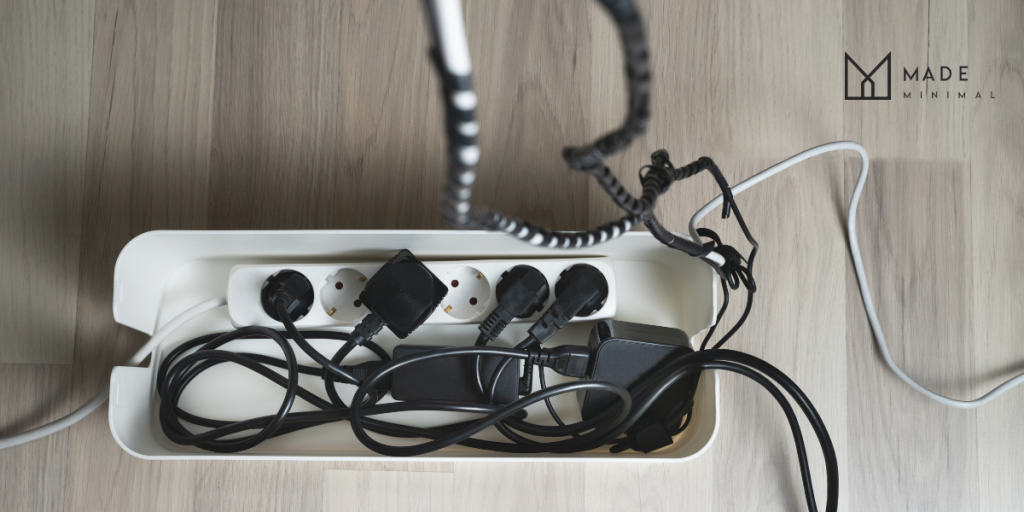
Ever notice how hard it is to think clearly when your desk looks like a mess?
Research shows that office clutter increases stress and makes you feel exhausted at work. Your brain has to work harder just to filter out all the visual noise.
At Made Minimal, we bring streamlined furniture and lighting to Australian homes so your space can stay clean and functional.
This guide will show you how to fix your setup without spending heaps of money. Let’s start with some desk cable management tips.
Desk Cable Management Tips for a Clean Workspace
Good cable management starts with figuring out what goes where before you start tucking anything away. This saves you from having to redo everything later when you realise you’ve made a mess of it.

These methods can help you sort out your cables for any desk setup and won’t break the bank.
The 15-minute cable reset
First up, unplug absolutely everything from your desk. That means pulling out every cable, charger, and device until you’re left with a blank surface. This gives you a fresh start to work with.
Now think about how you actually use your desk space. You can start by dividing it into clear zones for different tasks.
For example, you could keep your computer setup on the left and your charging area on the right. Once that’s sorted, make sure the things you reach for most often stay within easy reach.
Pro Tip: Only plug back in the essential devices you actually use every day. That old phone charger buried at the back? Leave it unplugged.
Manage first
A common mistake many people make is rushing straight to hide their cables before sorting them out properly. That’s a mistake, because it only creates more work down the track.
Just think about when your mouse stops working or you get a new printer. Do you really want to untangle everything just to plug it in?
Instead, keep your setup easy to adjust. Group similar cables with easy-to-open Velcro ties, run them along logical paths, and keep every plug within reach so you don’t have to dismantle your setup later.
Quick fixes that don’t need tools
You really don’t need fancy equipment or a drill to keep your cables neat and in place. Try these easy, hands-on tips to tidy up your cables.
- Adhesive Clips: A simple solution, like adhesive clips, works amazingly well for holding cables exactly where you want them. Just stick them under your desk and thread your cables through.
- Cable Sleeves/Velcro Wraps: If you want a tidier look, cable sleeves are a great option. They gather multiple wires into one neat bundle, and you can easily zip them open when you need to add or remove cables. Velcro wraps work similarly and are an inexpensive, flexible alternative.
- Power Board Mounting: For hiding your power board, grab some double-sided tape and mount it underneath your desk. This keeps all those ugly cables completely out of view without putting a single hole in anything.
These budget-friendly fixes can make a messy desk look clean and organised. You can have a tidy workspace ready in under an hour.
Special setups that need extra love
Multi-monitor setups can get messy, since every screen needs power, video, and sometimes USB cables.
If you’ve got monitor arms, run these cables along the arms themselves. No arms? Just bundle everything together tightly and drop it straight down behind your desk.
For laptops, docking stations can make setups cleaner. Mount yours under the desk using adhesive strips to centralise connections. That leaves just one cable running to your laptop, keeping the desk clear.
Next, let’s tackle the physical and digital clutter that’s probably taking up even more space than your cables ever did.
How to Organise Papers, Tools, and Digital Clutter on Your Desk
Once you’ve got your wires sorted, you’ll start noticing all the other stuff competing for your attention on your desk.
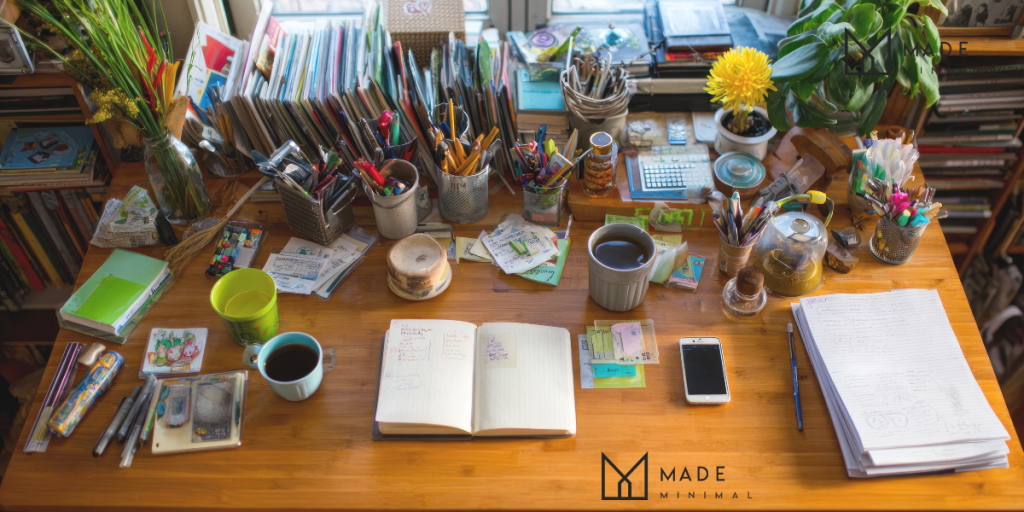
Paper piles, pens, and sticky notes add visual clutter that drains your brain. Even as you try to focus, your mind can get distracted by everything on your desk.
Here’s how you can clear both physical and digital clutter.
A simple filing system anyone can stick to
Our first recommendation is the three-tray method. You keep one tray for today’s tasks, one for this week, and another for things you’ll need later. We love this approach because it limits your choices and keeps everything clear.
This setup also keeps papers from taking over your desk and gives everything a proper spot, so you’re not digging through piles to find what you need.
Digital disorganisation is still disorganisation
Your computer desktop buried under random files creates exactly the same mental drain as physical clutter does. Twenty browser tabs open at once? Sticky notes for every single task? Same problem, just on a screen instead of your desk.
Project management tools exist for this very reason. It keeps everything in one place so you’re not jumping between apps all day. Tools like Trello, Asana, or Monday are great starting points for most people.
The benefits of tiny habits
Small daily habits actually stick around because they don’t feel like a massive effort every single time.
For example, you can take three minutes at the end of each workday to put pens back, file loose papers, and give your desk a quick wipe.
You can also add a quick five-minute cable and tool audit on Friday. Just check that cables are still clipped where they should be, office supplies haven’t wandered off, and nothing important has gone missing under your desk.
The best way is to use your environment to make habits stick. For example, you can keep your filing tray right by where you open mail and wipes on your desk. This way, you can keep your desk organised and clean without thinking twice about it.
Keep Your Desk Tidy for the Long Run
Now it’s time to maintain your organised setup. Keep in mind that perfection isn’t your goal, and trying for it will only cause frustration.
Once your desk area feels clean and sorted, you’ll quickly notice how fast things can slide back into a mess if you don’t stay on top of it.
Just set aside just a few minutes every day to put away borrowed items, tidy your cables, and wipe off any dust. And take a moment to look at what’s still sitting out on your desk and honestly ask yourself if it needs to be there.
Ready to build a minimalist workspace? Browse Made Minimal‘s collection of streamlined furniture and lighting designed specifically for minimal, clutter-free Australian homes.